top of page


Tutorial: Offline Payment
使用 Zelle 或支票付費範例
Step 1:
Click "Submit" to send in the registration form.
按 "Submit" 送出註冊單。

Step 2:
Click "Continue" to the next page.
按 "Continue" 到下一頁。

Step 3:
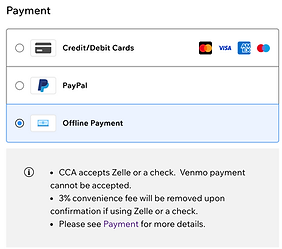
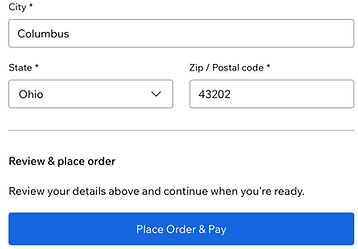
Select "Offline Payment", fill in your Billing Address, and click "Place Order & Pay"
選 "Offline Payment", 填入您的地址,然後按 "Place Order & Pay" 到下一頁。
** If paying for multiple students, feel free to pay in one transaction with all the names listed in the memo. 多位學生的學費可以在同一筆交易上。
Final Step:
Toward the bottom of the page, the payment method will be noted as "manual'. CCA will manually remove the 3% additional fee and send you a replacement order. Your registration is completed.
在網頁的下方,您會看到付費方式是 "Manual",CCA 會免除 3% 手續費並重新寄出訂單。註冊成功!

bottom of page